

Faustas Norvaisa
A Growth & Product Expert with 9 years of experience in revenue diversification, international expansion, SEO, and digital marketing. Passionate about scaling businesses and building global brands, he empowers companies to thrive with his motto, "sharing is caring.
How to recover lost Google traffic in 2026: A practical SEO diagnosis and content recovery guide
- Last time updated: 10th of June, 2026
Lost Google traffic can create panic, but recovery starts with evidence, not quick edits. First, the site needs to show what changed: rankings, impressions, clicks, demand, indexing, or the search results page itself. From there, every decision becomes clearer. A page that lost position needs a different fix than a page that still ranks but gets fewer clicks. Likewise, a core update, technical issue, weak content pattern, or AI Overview shift will not require the same response. This guide explains how to diagnose the drop, review affected pages, and rebuild useful content that Google and readers can trust.
We can help you fix your Google traffic loses!
Table of Contents
Lost Google traffic recovery: updated for 2026
Search history window
A 2026 conducted research of 11,500 real-user queries found that Google AI Overviews appeared on 51.5% of representative queries and were shown above organic results. That means traffic recovery can no longer depend only on old ranking checks. A page can still appear in Google, yet lose attention when the answer layer sits above it. Recovery work should now review rankings, click-through rate, query format, cited sources, and whether the page gives enough original detail to deserve the click.
Question-search pressure
A 2026 study of 55,393 trending Google queries found that AI Overviews appeared on 64.7% of question-form searches. That is important for articles, guides, FAQs, and informational pages because many traffic drops start where users ask direct questions. Recovery should not mean adding more generic answers. Pages need stronger proof, sharper examples, clearer structure, expert notes, and details that a short AI summary cannot fully replace.
Publisher traffic loss
A 2026 report on Google AI Overviews and Wikipedia found that AI Overview exposure reduced daily traffic to English Wikipedia articles by about 15%. That shows why some traffic drops can happen even when a page still has useful content. The search page itself can absorb more user attention. For recovery, teams should check whether lost pages target answer-heavy queries, then rebuild them with comparison value, decision support, original experience, and next-step guidance.
Why lost Google traffic needs diagnosis before recovery?
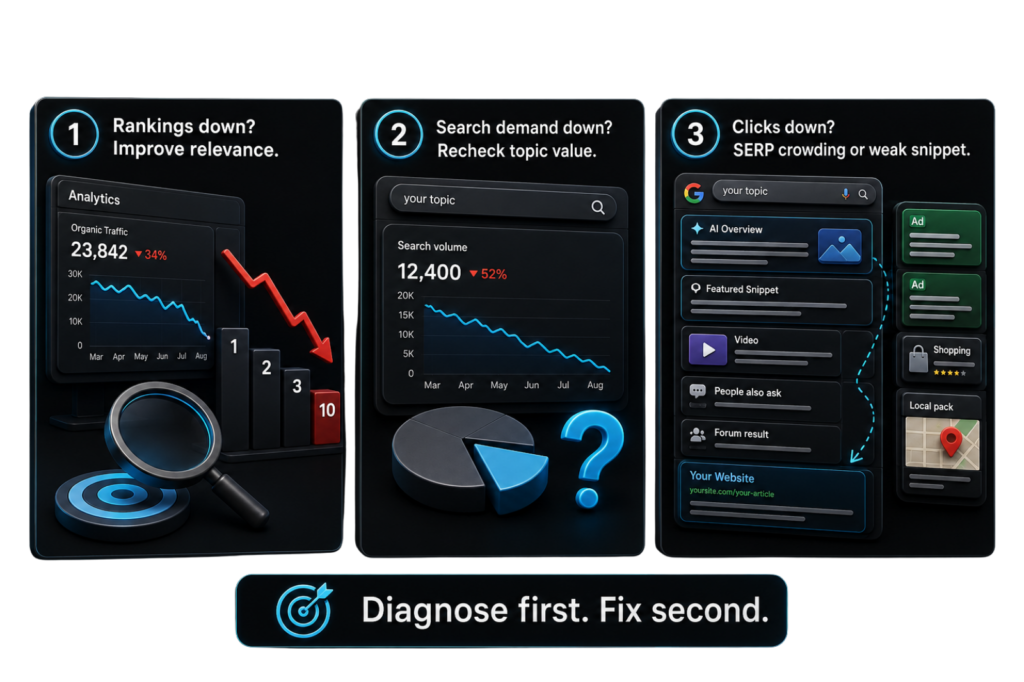
Lost Google traffic should be treated like a business signal, not a simple SEO failure. Before changing titles, deleting pages, or rewriting articles, the site needs a clear reason behind the drop. Sometimes rankings fall because competitors now answer the search better. In other cases, impressions shrink because fewer people search for the topic.
Clicks can also decline when AI Overviews, featured snippets, videos, forums, or ads take more space above the organic results. That difference changes the recovery plan completely. A page with weaker rankings needs content and relevance work. A page with stable rankings but weaker clicks needs stronger titles, clearer value, and better search-result appeal. Diagnosis protects the site from random fixes and turns recovery into a controlled process.
How to read the traffic drop correctly?
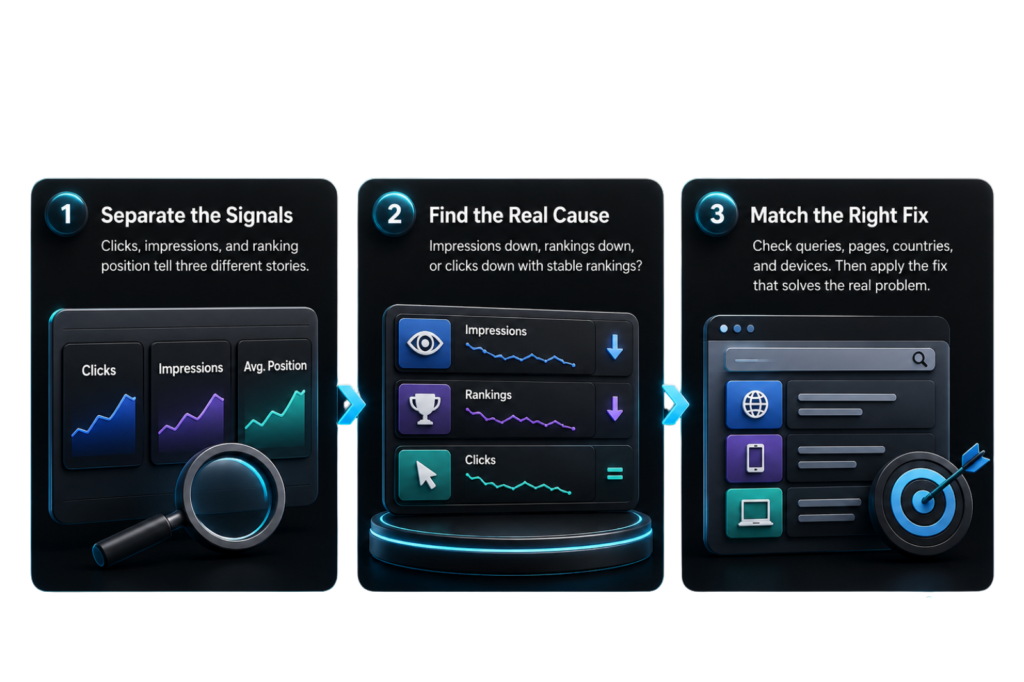
Google traffic recovery starts by separating clicks, impressions, and ranking position. These three numbers tell different stories. If impressions dropped first, the page probably lost visibility, search demand, or coverage across useful queries. If rankings dropped, Google could now see another result as more helpful, complete, or trustworthy. However, if rankings stayed stable while clicks fell, the search results page itself could be taking more attention.
That can happen when AI Overviews, ads, snippets, videos, or discussion results appear above the organic listing. In fact, traffic recovery is not only about fixing rankings anymore. Our AI SEO guide explains how AI Overviews, answer engines, structured content, trust signals, and classic SEO now shape search visibility together. For that reason, recovery should not begin with a full rewrite. First, check the affected queries, pages, countries, and devices. Then match each pattern with the right fix, so the work solves the real problem.
How to check if a Google update caused the drop?
Google traffic recovery should start inside Search Console, not inside the editor. Open the Performance report, set the drop period, then compare it with the closest stable period before the decline. Export the pages that lost the most clicks. Next, click each URL and switch to the queries tab. This shows which searches disappeared, which fell in position, and which still rank but no longer earn clicks.
| Check | Tool | What to decide |
|---|---|---|
| Clicks dropped, position stable | Search Console | Improve title, meta, intro, and SERP appeal |
| Position dropped for core queries | Search Console + SERP review | Rebuild intent, depth, proof, and structure |
| Page indexed but weak | URL Inspection | Check canonical, crawl status, schema, and indexing signals |
| Traffic dropped after page changes | GA4 + CMS history | Compare edits, redirects, templates, and internal links |
After this, open the live SERP for the lost query. Compare the page against the top results. Look for missing steps, fresher data, stronger examples, clearer authorship, better product proof, or a different intent angle. Then choose one action: update, merge, redirect, noindex, or remove. Do not rewrite everything. Fix the gap that the data proves.
How to fix pages without weakening them further?
Furthermore, Google traffic recovery should be handled with restraint, as the wrong edit can damage a page that only needs a narrow fix. Start with the page-query pair that lost the most useful traffic. Then decide what changed: the page lost rankings, the search result lost clicks, or the topic lost demand. Google’s own guidance says a small position drop does not need drastic action, while a large drop in position needs a deeper review. That distinction protects strong pages from unnecessary rewrites.
1. Fix the exact weakness shown by the data
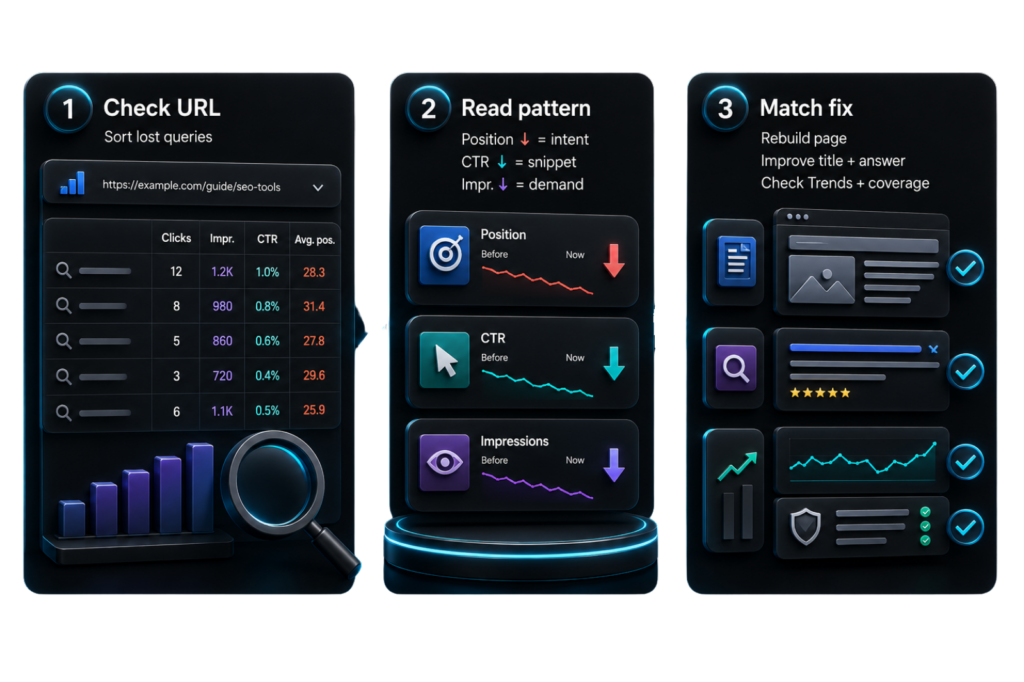
First, open the Performance report in Search Console and filter for one affected URL. Sort queries by lost clicks, then compare impressions, clicks, CTR, and average position. If the position fell, rebuild the page around the query intent. If CTR fell but the position stayed close, improve the title, meta description, opening answer, and visible value in the search result. If impressions fell, check whether search demand changed in Google Trends or whether Google stopped matching the page to related queries.
2. Add proof before adding length
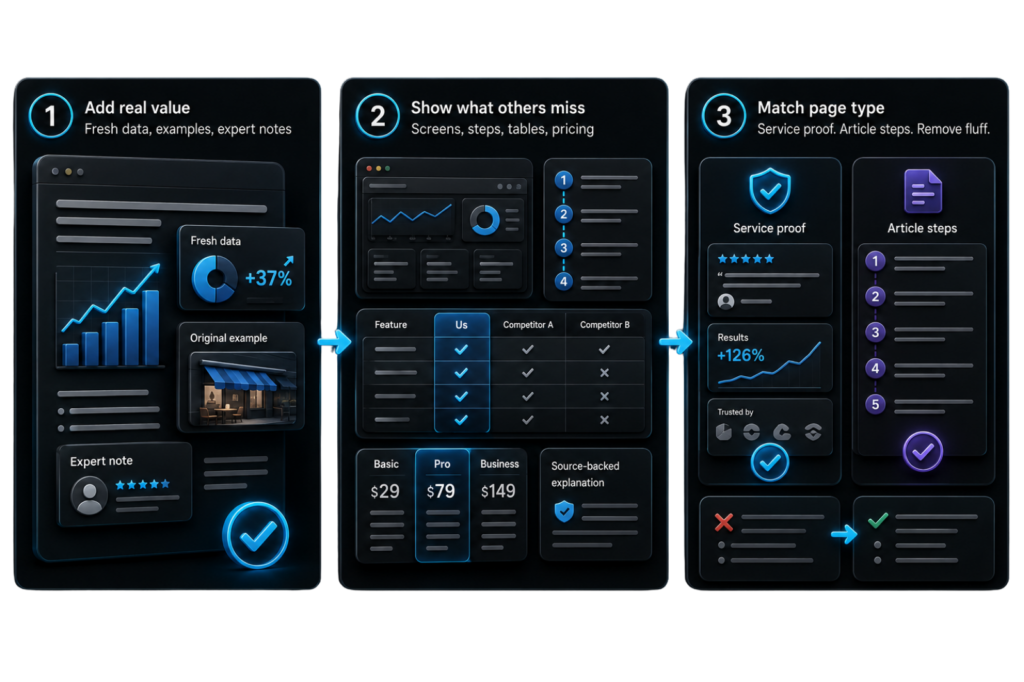
A weak recovery edit often makes a page longer without making it more useful. That is risky. Google asks whether the content provides substantial value when compared to other pages, so the update should add something competitors do not show clearly.
You must provide fresh data, original examples, expert notes, product screenshots, process steps, comparison tables, pricing context, or source-backed explanations. For service pages, add proof of how the service works, what inputs are needed, what decisions the reader can make, and what common mistakes should be avoided. For articles, remove empty definitions and add practical steps that solve the searcher’s next problem.
3. Avoid cosmetic recovery edits
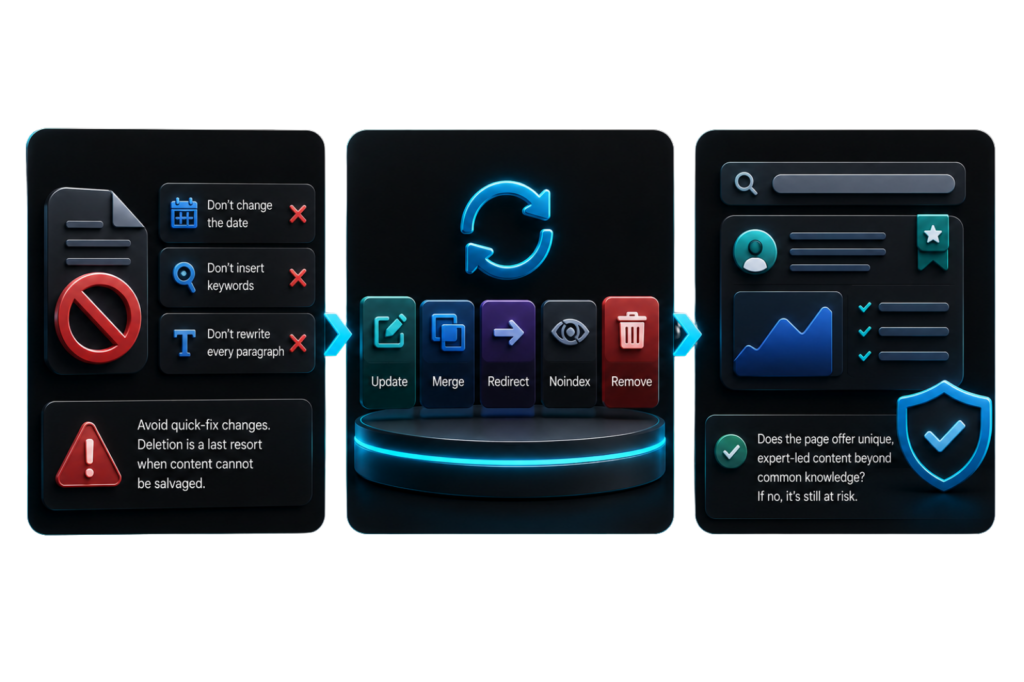
Also, Do not change the date, insert keywords, or rewrite every paragraph just to make the page look new. Google warns against quick-fix changes and says deletion should be a last resort when content cannot be salvaged. A safer process is update, merge, redirect, noindex, or remove.
Finally, check whether the page now gives unique, expert-led content beyond common knowledge. If the answer is no, the page is still exposed to future drops.
When should you update, merge, redirect, noindex, or remove content?
Google traffic recovery becomes cleaner when every weak page gets one clear action. Do not place all lost pages into the same “update” pile. First, check whether the page still serves a real search, user, or business purpose. Then review its traffic history, backlinks, internal links, ranking queries, and overlap with other pages. Google says deleting content should be a last resort, so removal should only happen when the page cannot be saved
| Action | Use it when | Check before doing it |
|---|---|---|
| Update | The page still matches search intent but lacks proof, freshness, or depth. | Lost queries, SERP gaps, old data, weak examples |
| Merge | Two pages answer the same query or split one intent. | Ranking overlap, cannibalized keywords, duplicate sections |
| Redirect | An old URL has links or history, but a stronger page should replace it. | Best target URL, internal links, redirect chain |
| Noindex | The page helps users but should not appear in Google Search. | Robots meta tag, sitemap status, internal links |
| Remove | The page has no useful purpose left and cannot be salvaged. | Backlinks, conversions, redirects, legal, or support need |
A merge works best when both pages target the same searcher, but one gives a stronger answer. Combine the useful parts, keep the better URL, and redirect the weaker one with a proper redirect. Google explains that redirects tell users and Google Search that a page has a new location. For noindex cases, use the noindex tag only when the page should remain live for users but be excluded from search
How to rebuild content around the search intent that now wins?
Additionally, Google traffic recovery should include a live SERP review because search intent can change faster than old content plans. A page can lose traffic even when the writing still looks decent. The reason is often simple: Google now rewards a different type of answer. Before rewriting, search the lost query in an incognito window, check the top results, and note what format appears most often. Are the winners guides, tools, product pages, comparison pages, videos, forum threads, or official sources? That tells you what users now seem to need.
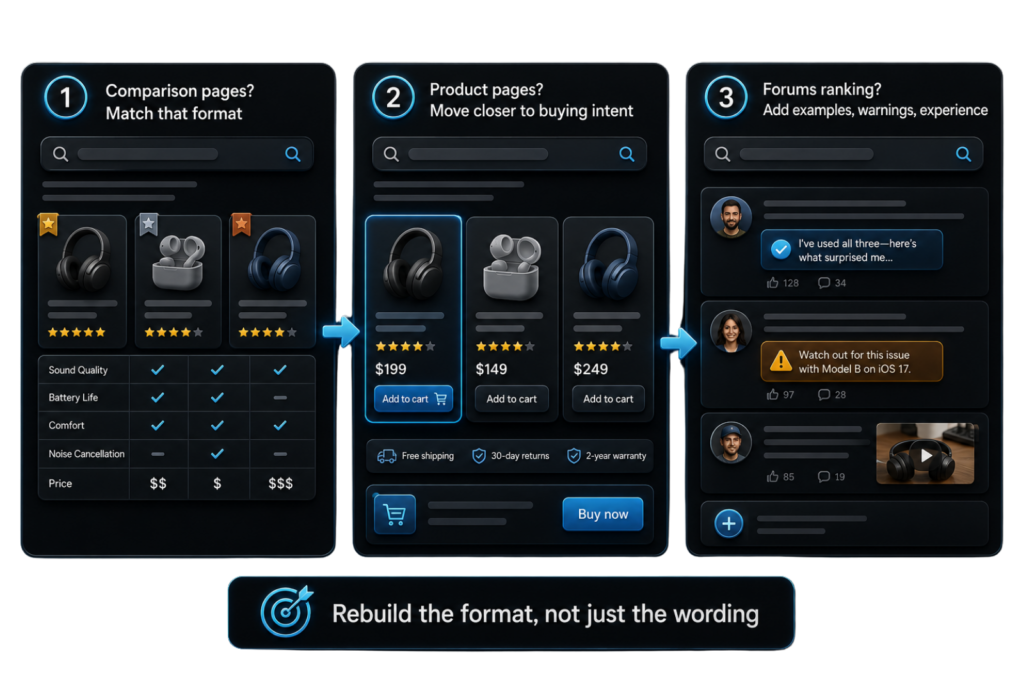
1. Match the page to the current result type
Let’s say, if the top results are comparison pages, a basic guide will struggle. If product pages rank, an informational article could be too far from buying intent. If forums appear, users likely want experience, warnings, or real examples. Use this review to rebuild the page format, not only the wording. Google’s guidance on helpful content asks whether a page gives useful, reliable, people-first information, so the page should answer the current search need better than the results above it.
2. Add the missing decision layer
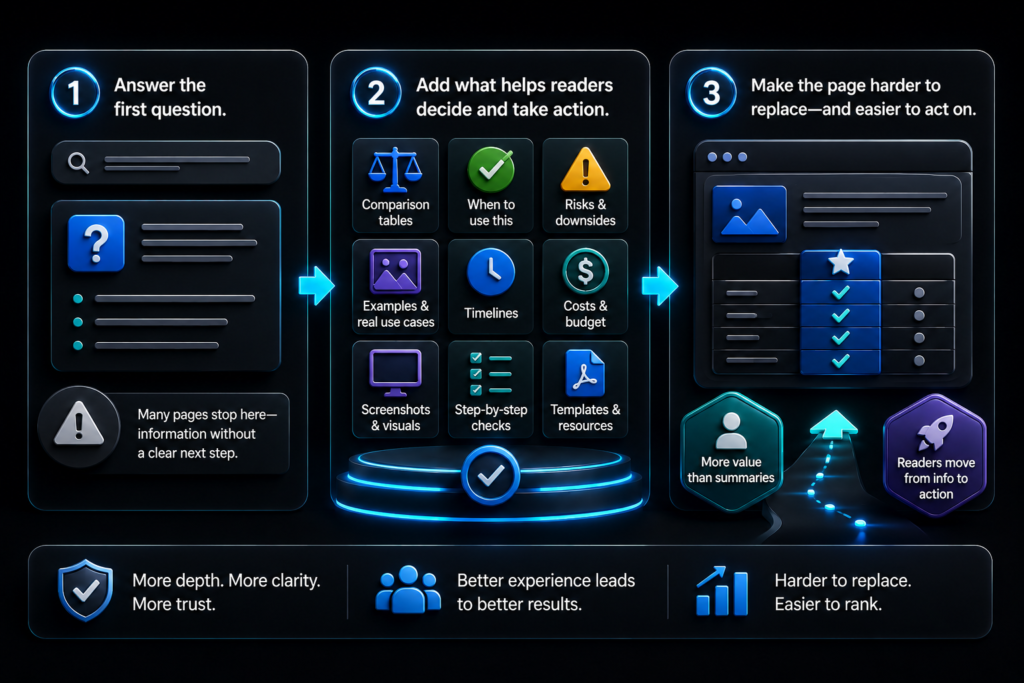
Secondly, many weak pages answer the first question but fail to help the reader decide what to do next. Add comparison tables, “when to use this” notes, risks, examples, timelines, costs, screenshots, or step-by-step checks. These details make the page harder to replace with a short summary. They also help readers move from information to action.
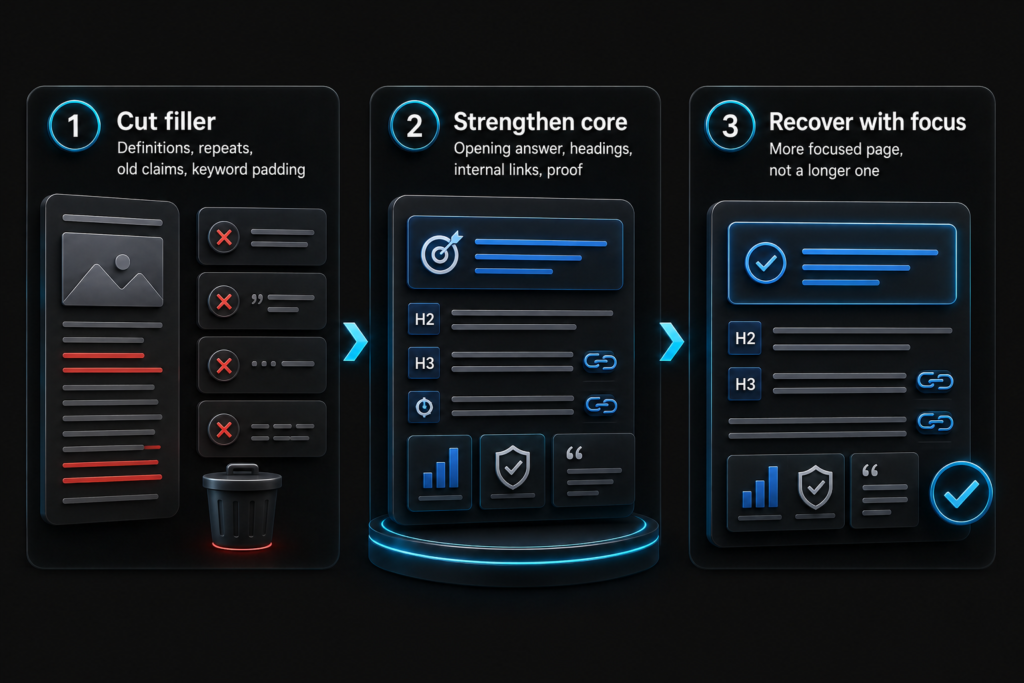
3. Remove sections that no longer support the query
Finally, old sections can weaken recovery when they stretch the page away from the main intent. Thus, remove filler definitions, repeated points, outdated claims, and paragraphs written only to hold keywords. Then strengthen the opening answer, headings, internal links, and source-backed proof. A recovered page should feel more focused, not simply longer.
How to recover clicks when rankings did not fall?
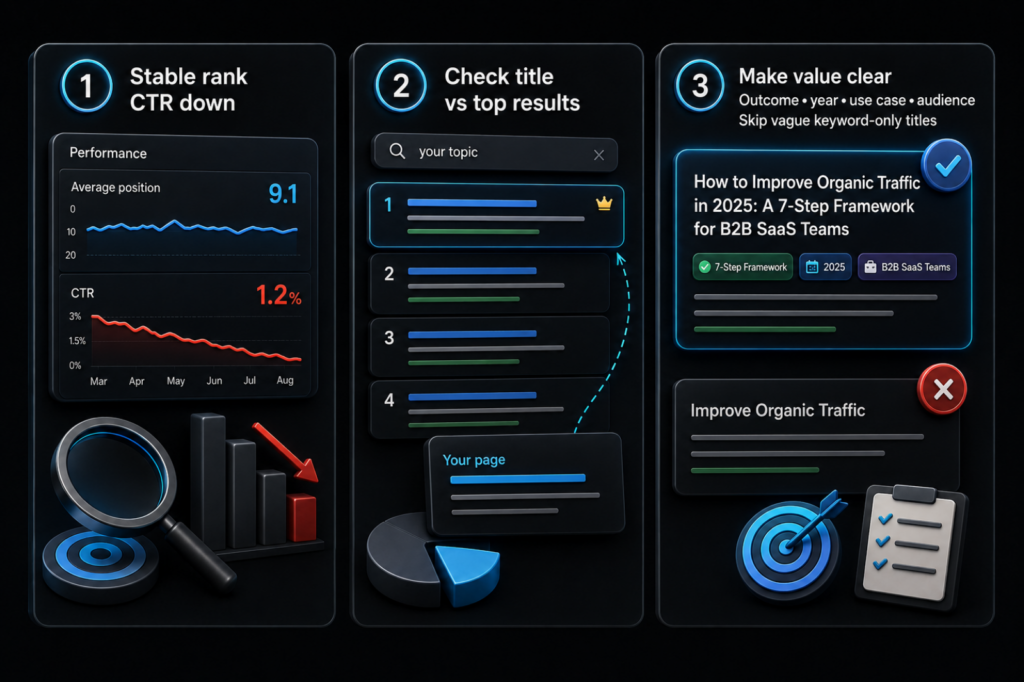
Google traffic recovery should also review click-through loss because rankings are not the only reason traffic declines. A page can keep a similar position, yet still lose clicks when the search result looks weaker than nearby results or when Google adds AI Overviews, snippets, ads, videos, maps, or forum results above it. In that case, rewriting the full page will not always solve the problem. The first fix should focus on how the page appears before the user clicks.
1. Improve the title without making it clickbait
Start by checking the queries where the average position stayed stable, but CTR dropped. Then compare the page title against the current top results. Google says title links should be clear and descriptive, so the title should explain the page’s value fast. Add the main outcome, year, use case, or audience when it improves clarity. Avoid vague titles that only repeat the keyword.
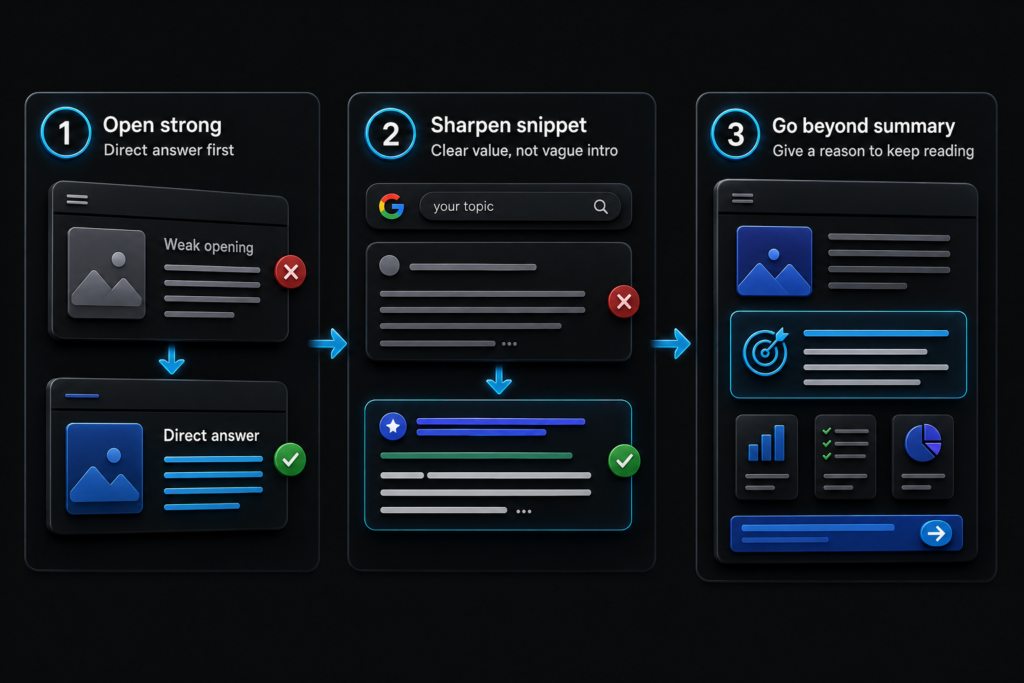
2. Strengthen the snippet promise
\Google can use page text to create search snippets, so the opening paragraph should make the page’s value obvious. If the intro is slow, generic, or too broad, rewrite it with a direct answer and a clear reason to keep reading. The snippet should suggest that the page gives more than a summary.
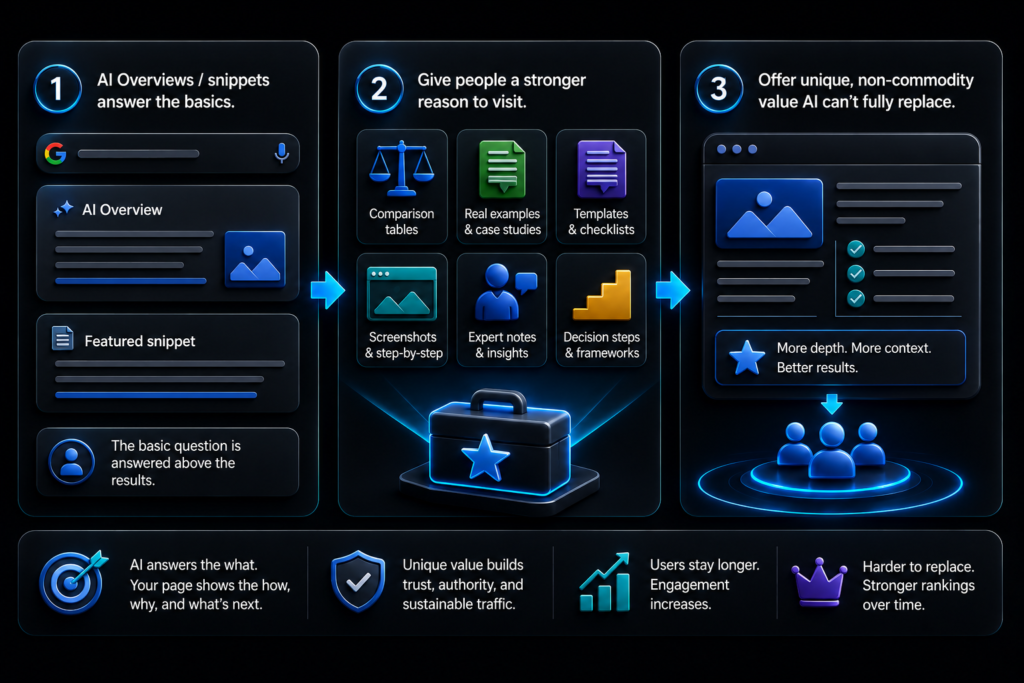
3. Add content worth clicking for
When AI Overviews or featured snippets answer the basic question, the page needs a stronger reason to visit. Add comparison tables, examples, templates, screenshots, expert notes, or decision steps. Google’s AI search guidance says useful content should offer unique, non-commodity value. That is the part a search summary cannot fully replace.
How to check technical SEO before rewriting conten?t
Google traffic recovery should always include a technical check before major content edits. A page can lose traffic because the content is weaker, but it can also lose visibility because Google cannot crawl, index, understand, or trust the page path properly. That is why technical review should happen early. Otherwise, a team can spend hours rewriting an article while the real problem sits in a canonical tag, blocked URL, redirect chain, template change, or indexing issue.
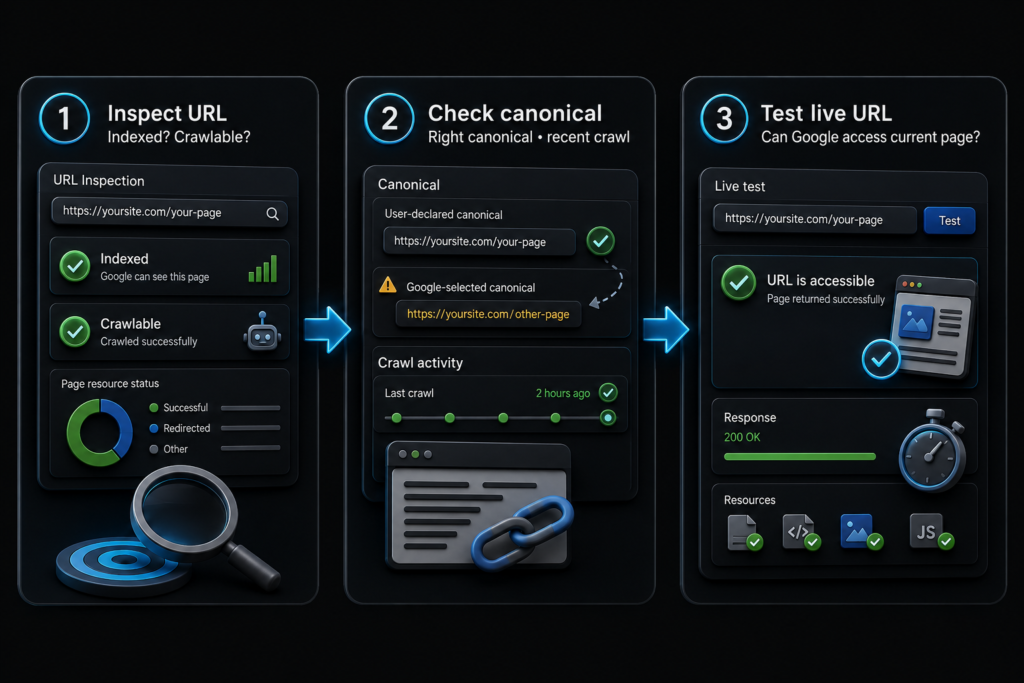
1. Inspect the affected URL first
Begin with the affected page inside Google Search Console’s URL Inspection tool. Check whether the URL is indexed, crawlable, canonicalized correctly, and last crawled recently. If Google selected a different canonical, the page could struggle even if the content looks strong. Then test the live URL to see whether Google can access the current version.
2. Review indexing and crawl signals
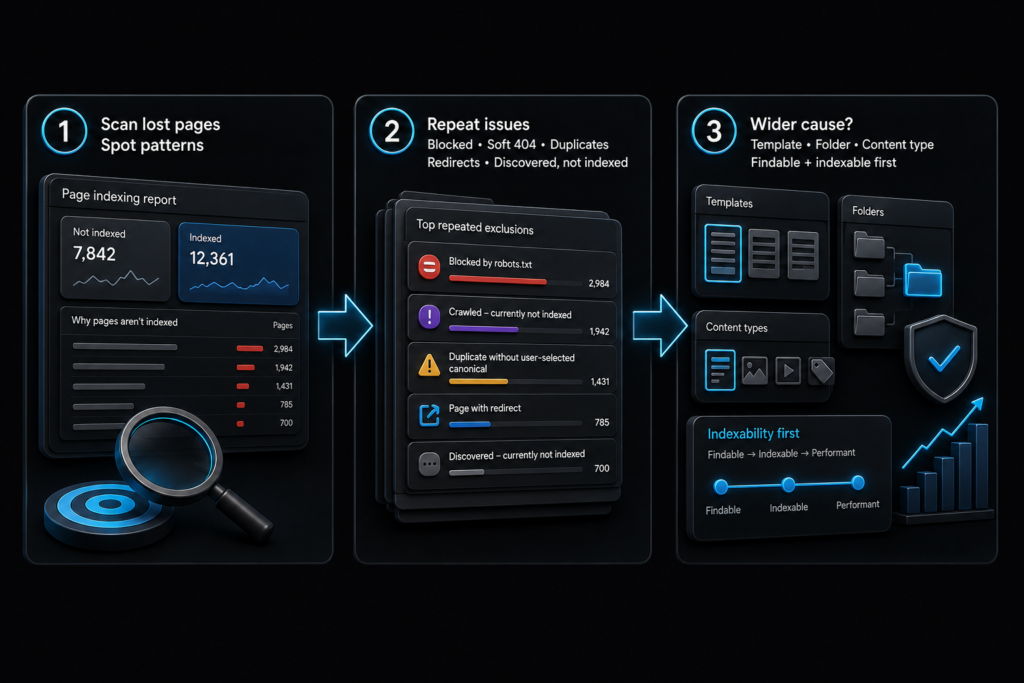
Open the Page indexing report and look for patterns across lost pages. A few isolated errors could be normal, but repeated exclusions across one template, folder, or content type can signal a wider issue. Check blocked URLs, soft 404s, duplicate pages, redirect errors, and pages marked as discovered but not indexed. Google’s indexing guidance explains that pages need to be findable and indexable before they can perform in search.
3. Check recent site changes
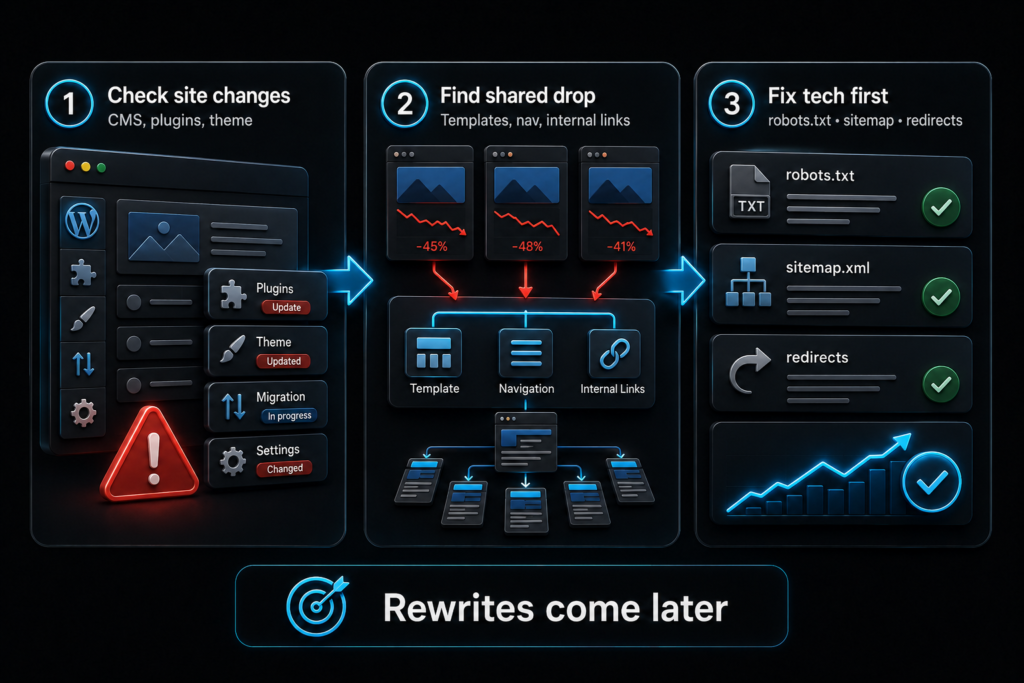
Finally, compare the traffic drop with CMS edits, migration work, plugin changes, theme updates, internal link changes, robots.txt edits, sitemap updates, and redirect changes. Technical drops often start after “small” website updates. If several pages fell together, look for shared templates, navigation changes, or lost internal links before rewriting the content itself.
How to rebuild internal links after a traffic drop?
Google traffic recovery should include internal links because updated pages need support from the rest of the site. After fixing the affected URL, check Search Console links data, Screaming Frog, Sitebulb, Ahrefs, or Semrush. Look at how many internal links point to the page, where they come from, and whether the anchor text explains the topic clearly. Google says links help it discover pages and understand what linked pages are about.
- Link from pages that still get organic traffic, backlinks, or strong engagement.
- Use anchor text that names the topic, not vague phrases like “read more.”
- Add links from relevant hubs, service pages, guides, breadcrumbs, and related-content blocks.
- Fix orphan pages that have no useful internal path from the rest of the site.
After the links are added, crawl the site again. Check whether the page is reachable within a few clicks and whether the new links feel useful for readers, not forced for search engines. Then request indexing only when the content, crawl path, and links are stable, because repeated unfinished changes make diagnosis harder later.
How to measure recovery after SEO fixes?
Google traffic recovery should be measured with a clean tracking process, not a quick look at total website traffic. Start by creating a simple recovery log in Google Sheets. Add the URL, main lost query, update date, action taken, old clicks, old impressions, old CTR, old average position, and the reason for the fix. Then use the Performance report in Google Search Console to compare the affected page before and after the update.
Check the same URL and query group each time. Do not judge the result from the whole site, because other pages, seasonal demand, or new content can hide the signal. In GA4, review landing page sessions, engagement rate, conversions, and assisted conversions for the same URL. This shows whether recovered traffic is useful, not just larger.
For stronger monitoring, use Looker Studio to combine Search Console and GA4 data into one recovery dashboard. If rankings improve but clicks stay weak, review title and snippet appeal. If impressions rise but conversions stay flat, the page likely needs stronger next steps, clearer CTAs, or better internal links.
What mistakes slow down Google traffic recovery?
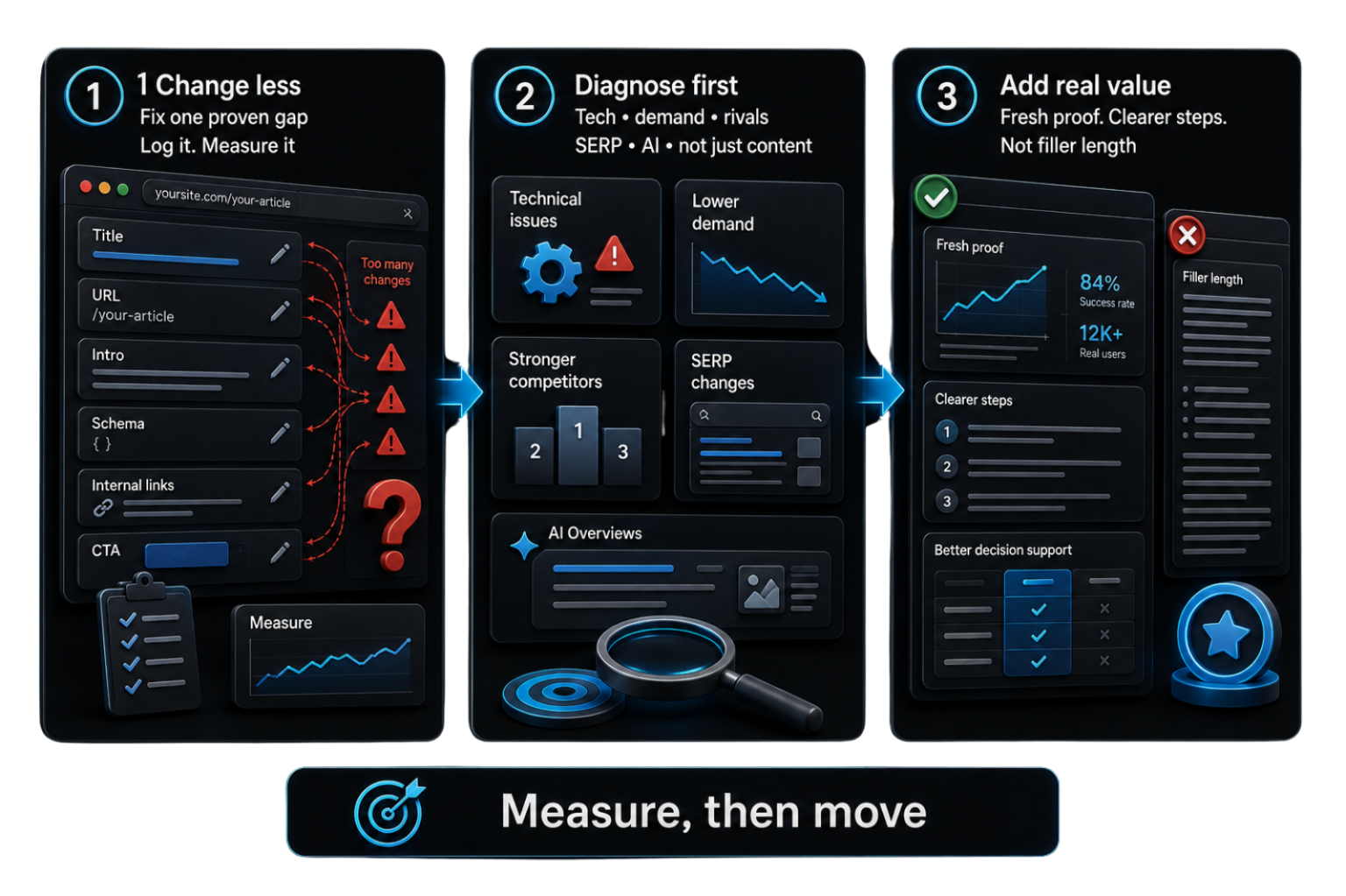
Google traffic recovery often fails when teams change too many things at once. If a page title, URL, structure, intro, schema, internal links, and CTA all change in one round, later measurement becomes unclear. The team will not know which edit helped, which hurt, or which made no difference. A better process is to fix the proven gap first, record the change, and measure the same page-query group before making another major edit.
Another common mistake is treating every drop as a content problem. Technical issues, lower demand, stronger competitors, SERP changes, and AI Overviews can all reduce clicks. That is why Google’s traffic-drop guidance starts with data review, not rewriting. Recovery also becomes weaker when teams add generic paragraphs just to make a page longer. Google’s helpful content guidance asks whether content gives substantial value compared with other pages. If the update adds no fresh proof, clearer steps, or better decision support, the page will still look weak.
Why agentic AI cannot fix lost Google traffic by producing more pages?
Agentic AI can support SEO work, but it should not be used to flood a site with new pages after traffic drops. That is an unwise recovery choice. Google’s scaled content abuse policy targets large amounts of unoriginal content created mainly to manipulate rankings, no matter how the content is made. The problem is not AI itself. The problem is pretending that volume can replace judgment, proof, technical checks, and search intent work.
Mass AI publishing can look successful at first because more pages create more impressions. Then the pattern can break. Weak pages stop earning clicks, rankings fall, and recovery becomes harder because the site now carries more low-value content to audit, merge, redirect, or remove. Agentic AI can help export data, cluster queries, draft briefs, and check gaps. It cannot replace expert review. Do not use it as a traffic machine. And no SEO or digital marketing specialist should advise that.
When should businesses get SEO recovery support?
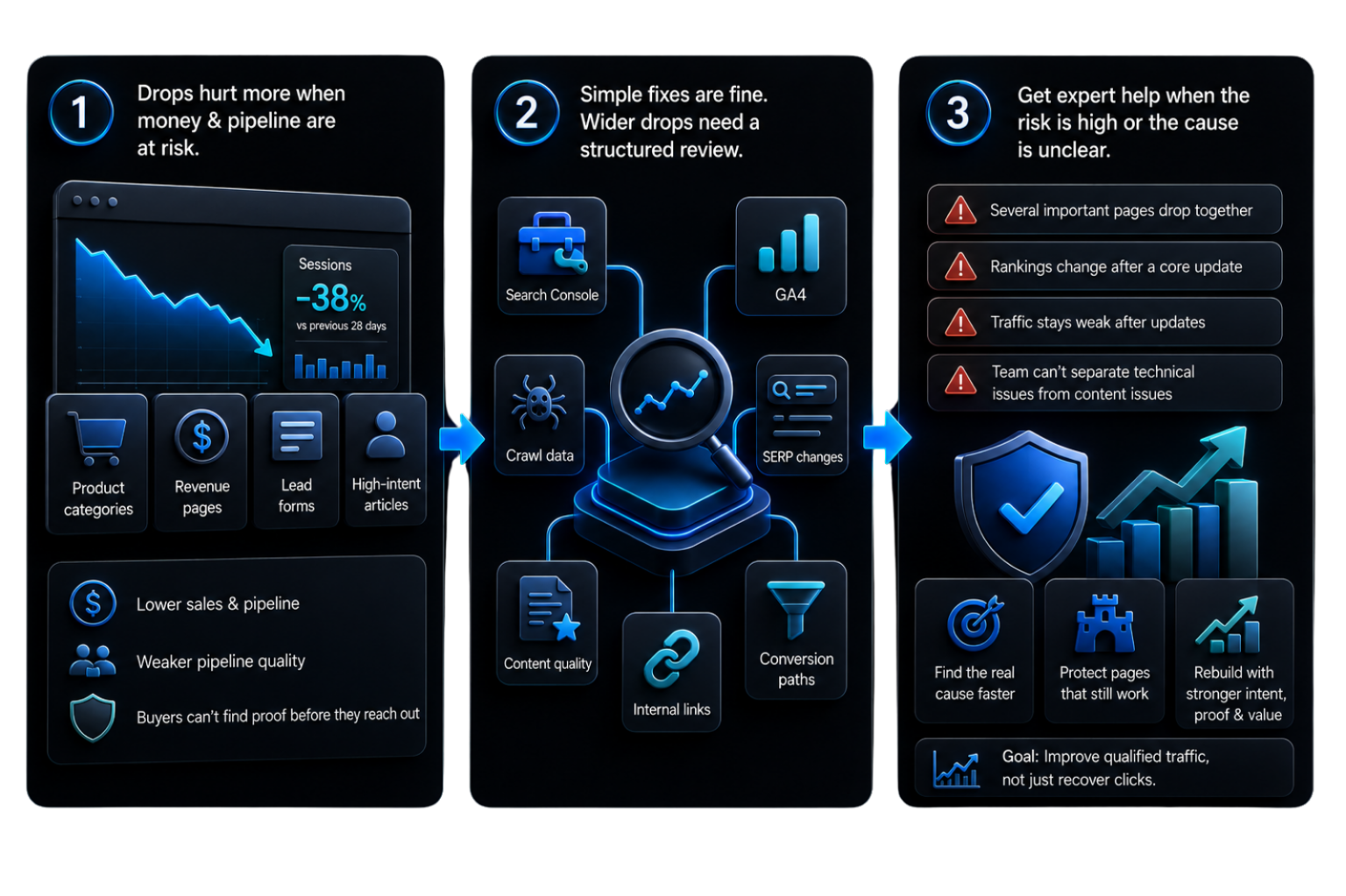
Google traffic recovery becomes harder when the drop affects revenue pages, lead forms, product categories, or high-intent articles. At that point, the problem is not only visibility. It also touches sales, pipeline quality, and how buyers find proof before they contact the business. Internal teams can usually handle simple title fixes or small content updates. However, wider drops need a structured review across Search Console, GA4, crawl data, SERP changes, content quality, internal links, and conversion paths.
A business should get expert support when several important pages fall together, when rankings change after a core update, when traffic stays weak after updates, or when the team cannot separate technical problems from content problems. The goal is not to outsource every edit. The goal is to find the real cause faster, protect pages that still work, and rebuild weak assets with stronger search intent, proof, structure, and buyer value. Recovery should improve qualified traffic, not only restore lost clicks.
How aboveA Helps Businesses Recover Lost Google Traffic?
Google traffic recovery needs more than content editing, especially when lost visibility affects leads, sales, or buyer trust. aboveA reviews the full search path before recommending changes. That includes Search Console data, GA4 landing page performance, technical SEO checks, internal links, SERP intent, content depth, and conversion points. This helps separate weak pages from pages that only lost clicks because the search results changed.
From there, aboveA builds a clear recovery plan. Some pages need stronger proof, better structure, updated data, or sharper search intent. Others need merging, redirects, internal link support, or a cleaner buyer path. The goal is not to publish more content for the sake of volume. The goal is to rebuild pages that deserve attention, answer the right search, and help visitors take the next step.
For businesses with unstable rankings or weaker organic leads, SEO recovery becomes a way to protect demand, not only regain traffic.
Recover lost Google traffic with proof, not panic!
Recovering lost Google traffic should never start with panic edits. It should start with proof. First, diagnose whether the loss came from rankings, clicks, impressions, technical access, intent shifts, or AI-shaped search results. Then fix the exact weakness, track every change, and measure the same page-query group over time. Strong recovery protects useful pages, removes weak noise, and rebuilds content around trust, practical value, and clearer decisions for readers. That lasting work improves qualified traffic, not only lost clicks.
Recover lost Google traffic FAQs
Recovering lost Google traffic questions often start with panic, but strong answers need data first. These FAQs explain how to read traffic drops, choose the right fix, avoid risky edits, and measure whether recovery work is actually helping.
Why did my Google traffic drop suddenly?
Google traffic can drop because rankings changed, search demand fell, technical issues appeared, competitors improved, or SERP features reduced clicks. Search Console should show the first clue.
How do I know if a Google update caused the traffic loss?
Thai BL creates fan-economy value through platform views, actor followings, fan meetings, merchandise, brand deals, tourism interest, ticket sales, and international community activity.
How do I know if a Google update caused the traffic loss?
Check the drop date against Google’s Search Status Dashboard. Then compare affected pages, queries, and positions before and after the confirmed update period.
How long does SEO traffic recovery take?
SEO recovery depends on the cause, page quality, crawl speed, competition, and search demand. Track impressions, rankings, CTR, clicks, and conversions over time.
What is the safest way to recover lost Google traffic?
The safest method is to diagnose the drop, fix the proven weakness, record each change, and measure the same URL and query group after updates.
How can aboveA help recover lost Google traffic?
aboveA helps diagnose traffic drops, audit affected pages, rebuild weak content, improve internal links, and align recovery work with search intent, proof, and business value.
Can AI content abuse cause lost Google traffic?
Yes. Google warns that using generative AI to produce many pages without real user value can violate its scaled content abuse policy. The issue is low-value scale, not AI itself.
Can agentic AI recover lost Google traffic by creating more content?
No. Agentic AI can help with audits, exports, outlines, and checks, but mass-producing pages will not fix weak intent, poor proof, technical issues, or trust gaps.
