
Faustas Norvaisa
A Growth & Product Expert with 9 years of experience in revenue diversification, international expansion, SEO, and digital marketing. Passionate about scaling businesses and building global brands, he empowers companies to thrive with his motto, "sharing is caring.
Selling With Google Merchant Center in USA
- Last time updated: 17th January, 2026
Google Merchant Center lets U.S. product companies reach buyers the moment they’re ready to buy. By uploading your product feed, your items appear in Google Shopping, Search, and free listings – right alongside trusted retailers. Whether you sell clothing, electronics, or home goods, optimized feeds, clear policies, and Shopping ads help you attract clicks, compete effectively, and turn searches into sales. This guide shows how to use Google Merchant Center to maximize your selling power in 2026.
Sell smarter with Google Merchant Center USA and grow faster with expert support from aboveA
Table of Contents
Understanding Google Merchant Center
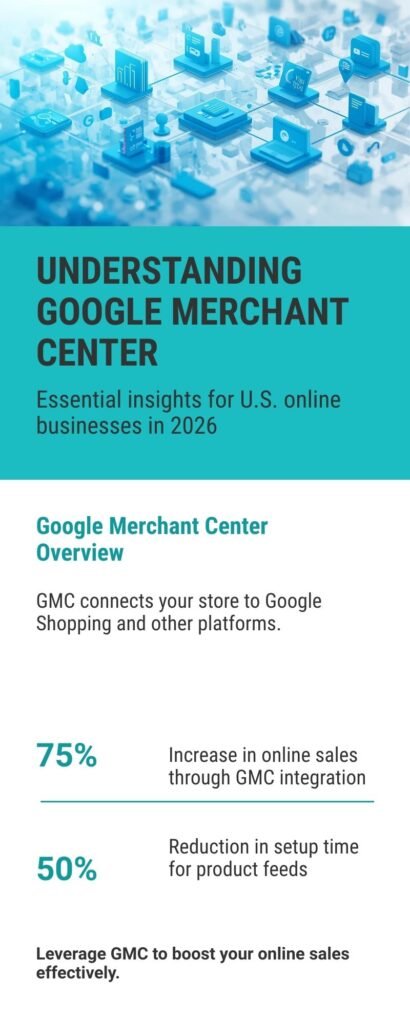
Google Merchant Center (GMC) connects your online store to Google’s shopping ecosystem, letting U.S. companies reach millions of active buyers at the moment of purchase intent. By uploading a product feed, your items can appear in Google Shopping, Google Search, YouTube, Google Lens, and free listings. Whether you sell electronics, clothing, or home goods, GMC helps your products appear alongside trusted retailers, making discovery faster and more convenient for shoppers.
Setting Up and Optimizing Your Product Feed
Creating a GMC account involves verifying your business, connecting your e-commerce platform, and uploading an optimized product feed. The feed includes titles, descriptions, images, and structured attributes. Optimized feeds help Google match your products to high-intent searches like “buy online,” “best deals,” and “fast shipping [product type].” You can run Smart Shopping campaigns to boost visibility in competitive categories or rely on free listings to gain steady exposure without high ad spend. Accurate product details, clear policies, and high-quality images increase clicks and conversions while helping your brand compete effectively.
In 2026, Google Merchant Center is the foundation for selling the way shoppers want: quickly, transparently, and comparison-friendly. By optimizing feeds and leveraging both paid and free placements, U.S. product companies can turn searches into revenue, attract clicks, and grow their business directly on Google.
Why US Product Companies Should Use Google Merchant?
For product companies in the United States, Google Merchant Center is no longer just a nice-to-have feature; it’s a core part of selling online in 2026.
Every month, shoppers make about 1.2 billion searches on Google Shopping. Approximately 36% of initial product discovery searches originate from Google Shopping. These numbers indicate how frequently consumers turn to Google first when seeking to find or compare items.
Because Google is where many people begin, using Google Merchant Center for e-commerce in the USA gives your products a chance to be seen at that very moment of intent. It helps you appear in the Shopping tab, in search results, and via free product listings.
Another key trend: retail advertisers are placing a heavy weight on shopping-style ads. In many studies, 76% of retail search ad spend is directed to Shopping Ads, and 85% of clicks on retail ads come from those Shopping formats (not from standard text ads). That means for many product businesses, the majority of click traffic comes via Shopping.
This year, Google is also pushing new tools and integrations between Merchant Center and Google Ads. At Google Marketing Live 2025, Google announced updates designed to simplify campaign creation and integrate product data. Furthermore, Google’s own Merchant Center is evolving: the “new Merchant Center” now offers improved product management, easier setup experiences, and increased use of AI tools to assist with images and content.
These stats and platform upgrades signal one thing: if US product companies want to reach buyers, they can’t afford to ignore Google Merchant Center. It’s where people already shop, and where you need to place your products to compete.
How to Set Up a Google Merchant Center Account in the USA?
Setting up Google Merchant Center (GMC) correctly is the first step to selling products on Google in the United States. While it may seem technical at first, the process becomes easier once you understand each stage. Below is a step-by-step breakdown designed for product companies that want to launch, optimize, and scale their presence on Google Shopping.
Step 1: Create Your Google Merchant Account
To begin, you’ll need a Google account tied to your business. Visit merchants.google.com and click “Continue.”

Image: First step, tell Google about your business

Image: Later, click to continue to Merchant Center. Remember that you must sell products not services.
Step 2: Filling Our Your Google Merchant Profile Information

Image: Business info entry screen for Google Merchant Center account
During sign-up, choose your business name, country (United States), and time zone. Be cautious with these details, as they impact how your products appear and how Google calculates shipping and tax rules.
When setting up your Google Merchant account in the USA, it’s essential to match the name and address exactly as they appear on your website and official documents. This ensures your account passes Google’s verification process quickly. Many new sellers fail at this step by entering a brand name that doesn’t match their domain or legal entity. Keep consistency across your website, Merchant Center, and Google Ads account.

Image: Country selection form in Google Merchant Center setup

Image: Shipping configuration step in the Google Merchant Center setup process

Image: Google Merchant Center delivery time setup for the seller’s account
Step 3: Set Up Shipping and Tax Information

Image: Merchant Center shipping schedule showing handling and transit days
For the US market, shipping and tax setup are mandatory. Google requires exact costs and delivery times to display accurate information to shoppers.
Shipping: Add services (e.g., standard, express, free shipping) and specify rates. Many US companies gain visibility by offering free shipping, as Google highlights this feature in product listings.
Taxes: For US sellers, you can set up taxes at the account level or rely on Google’s automatic tax calculator. If your store uses Shopify or WooCommerce, it is recommended to sync your tax settings.
Failing to provide correct shipping or tax information is one of the most common reasons for product disapprovals in Merchant Center.

Image: Google Merchant Center shipping cost configuration screen
Step 4: Meet Google’s Policy Requirements
Before your products go live, Google checks compliance with its policies. For US sellers, common issues include:
Mismatched prices between feed and website
Missing return or refund policy
Unsecure checkout (no HTTPS)
Restricted products (alcohol, tobacco, certain medical devices)
Make sure your website has clear contact information, a return policy, and accurate product details. Google Merchant compliance is strict, and failure to follow guidelines can lead to account suspension.

Image: Google Return policy configuration form in Google Merchant Center setup

Image: Return and exchange setup page in Google Merchant Center
Step 5: Build and Upload Your Product Feed
The product feed is the heart of your Google Merchant account. It’s essentially a structured file (XML, TXT, or linked from Google Sheets) containing all product details. At minimum, US businesses need to provide attributes like:
Product ID (unique code)
Title
Description
Price
Availability (in stock, out of stock, preorder)
Condition (new, refurbished, used)
Link to the product page
Image link
GTIN (Global Trade Item Number) or MPN (Manufacturer Part Number)
Shipping and tax details
Google uses this feed to match search queries with your products. For example, if someone searches “running shoes size 9 USA,” your product appears only if your feed contains accurate titles, attributes, and sizing information.
Optimization is critical here. Use keywords in product titles (e.g., “Men’s Running Shoes Size 9 – Lightweight Trainers”) and keep descriptions detailed but clear. In 2026, many US sellers are adding structured product attributes such as material, color, and style since Google’s AI increasingly favors richer data.

Image: Product listing configuration in the Google Merchant Center dashboard
Beyond the basic product feed, businesses today have more ways to pre-fill and sync product data. With platforms like WooCommerce, Shopify, and Magento, integrations allow you to automatically generate a Google Merchant feed directly from your store. Instead of manually uploading files, APIs can push updates in real time, ensuring prices, availability, and promotions stay accurate. This saves hours of work and reduces the risk of disapproved products caused by mismatched information.
Another advantage of API connections is scalability. If you manage thousands of SKUs, bulk changes to attributes like size ranges, seasonal colors, or sale pricing can be instantly reflected across Google Shopping. Many US merchants also use plugins that let them map custom attributes, such as eco-friendly tags, bundle deals, or product ratings, into Google’s feed requirements. This extra detail can improve both search visibility and ad relevance.
Even smaller businesses benefit from these tools. With automated syncing, a single update in WooCommerce can adjust stock, pricing, and images across Merchant Center, ads, and even social commerce channels. By adopting these pre-filling methods, sellers position themselves ahead of competitors who still rely on static files. The result is more accurate listings, higher approval rates, and stronger shopping performance.
Below, we’ve included three short videos walking you through WooCommerce setup, manual product entry, and using the Content API for product feed management.
Videos: a video guide on how to use the WooCommerce plugin to add your products to the merchant profile
Videos: a video guide on how to add products to the Google Merchant manually
Videos: a video guide on how to use the Reprocess Google API in Google Merchant
Step 6: Connect Google Merchant Center With Google Ads
Although free listings are available, the most significant results typically come from running Google Shopping Ads. To do this, you must link Merchant Center with your Google Ads account.
Inside Merchant Center, go to “Linked Accounts” and connect Google Ads using your account ID. Once linked, you can create campaigns directly in Google Ads that pull product data from your feed. This enables the launch of Shopping campaigns, Performance Max campaigns, and local inventory ads for physical stores in the US. Linking ensures that your product feed updates automatically in ads. That means if you change a price on your site, it will also update in Google Shopping ads without requiring manual edits.

Image: Setup page to connect Merchant Center and Google Ads account
Step 7: Submit and Monitor Your Products
Once everything is complete, submit your product feed for review. Google typically approves items within 24 to 72 hours. After approval, your products will begin to appear in Google Shopping results and free listings. Monitoring is the final, ongoing step. Merchant Center provides diagnostic reports that highlight feed errors, disapproved items, and opportunities for improvement. US sellers should check this dashboard weekly to ensure maximum visibility.
Final Thoughts on Setup
Setting up a Google Merchant account in the USA may seem like a daunting task, but each step builds toward a powerful outcome: your products appearing directly in front of ready-to-buy customers. With proper verification, a clean product feed, and compliance with policies, businesses of all sizes can sell on Google Shopping and compete with national retailers. Done correctly, Merchant Center isn’t just a setup; it’s the foundation of long-term e-commerce growth in 2026.
Product Feed Optimization
A Google product feed is more than just a list of items. It’s the engine that powers your visibility on Google Shopping. If your feed is messy, incomplete, or not optimized, your products may never reach the right buyers. For US companies in this year, where competition is high, optimizing the feed is the single most significant factor in standing out.
When Google matches a shopper’s query with your product data, it looks at titles, descriptions, images, and attributes. That means your feed has to be complete, accurate, and keyword-rich without being spammy. Small changes often bring significant results. For example, “Red Running Shoes – Lightweight Men’s Trainers Size 10 USA” performs better than simply “Running Shoes.”
Below is a practical table showing the most important product attributes, why they matter, and how to optimize them for US audiences:
| Attribute | Why It Matters | Optimization Tip (USA 2026) |
|---|---|---|
| Title | First thing shoppers and Google read | Add brand, size, color, and main keyword: e.g., “Nike Men’s Running Shoes Size 10 – Red” |
| Description | Helps Google rank products and informs buyers | Write 150–500 characters with features, materials, and benefits tailored to US shoppers |
| Image Link | Drives clicks; visuals often decide the sale | Use high-resolution images on white backgrounds; add lifestyle photos when allowed |
| Price | Core decision factor for US buyers | Ensure exact match with your website; highlight promotions or discounts clearly |
| Availability | Prevents customer frustration and disapprovals | Keep updated in real-time; mark “in stock,” “out of stock,” or “preorder” correctly |
| GTIN / MPN | Helps Google match your product to catalogs | Always include; missing GTINs reduce visibility |
| Shipping & Tax | Required for US compliance | Provide exact shipping costs and tax rates to avoid feed rejection |
Optimizing each attribute is not optional in 2026. Google’s AI systems now prioritize data-rich feeds, making it easier for buyers to make informed decisions. That’s why US businesses adding attributes like color, size, age group, and material see better click-through rates.
Another key trend: Google favors feeds that are frequently updated. If your prices, stock, or promotions change, update your feed immediately. Using automated tools like Shopify’s Google app, WooCommerce plugins, or custom API connections helps US companies stay current.
Finally, never forget images. More than 70% of shoppers in the US say they won’t consider a product with poor photos (Google Consumer Insights 2025). High-quality, clear pictures often make the difference between a click and a scroll.
In short, Google product feed optimization in the USA is the key to achieving higher rankings, more clicks, and stronger sales on Google Shopping. Get your data right, and the platform will reward you with visibility across millions of US buyers.
Google Merchant Policies and US Compliance
Setting up your account is only half the job. To actually sell products on Google in the USA, you must follow Google Merchant Center policies. In 2026, compliance is stricter than ever, and even minor errors can lead to disapproval or account suspension. The most common issues US product companies face include:
Mismatched pricing: If the price in your feed doesn’t match the price on your website, Google flags it.
Inaccurate availability: Marking an item as “in stock” when it’s not can trigger disapproval.
Missing or unclear policies: Every US business must clearly display return, refund, and shipping policies.
Unsecure checkout: Google requires HTTPS for all payment pages.
Restricted products: Some categories, like tobacco, firearms, and unapproved supplements, are banned in the US market.
Google now uses automated and AI-driven checks to review feeds on a daily basis. This means businesses can no longer rely on one-time approvals; your feed must remain compliant at all times.
To stay safe, check the Diagnostics tab in the Merchant Center every week. It highlights disapproved items, policy violations, and recommended fixes. For US sellers, keeping tax and shipping data updated is especially critical.
In short, Google Merchant policy compliance USA is about building trust. Accurate data, clear policies, and transparency ensure your products continue to appear in Shopping results, while violations can shut down your sales overnight.
Running Google Shopping Ads
Once your products are live in Google Merchant Center, the next step is to amplify visibility with Google Shopping Ads. Free listings are helpful, but in the United States, where competition is intense, paid ads often make the difference between a product being seen or ignored.
Google Shopping Ads are unique because they display product images, prices, store names, and reviews directly in search results. This provides buyers with the information they need before making a decision. For U.S. businesses, this creates a powerful way to attract customers who are ready to make a purchase.
In 2025, over 76% of retail search ad spend in the US is allocated to Shopping Ads, and 85% of clicks on retail ads originate from this format (Google Marketing Live, 2025). This demonstrates the strong engagement of American consumers with Shopping placements compared to plain text ads.
How to Run Shopping Campaigns?
To launch your first campaign, link your Merchant Center account with Google Ads. From there, you can choose between two main campaign types:
Standard Shopping Campaigns – Offer more control, allowing you to set bids for individual products or groups, ideal for US businesses with clear margins and specific pricing strategies.
Performance Max Campaigns – Powered by Google AI, these campaigns distribute your product ads across Search, YouTube, Display, Gmail, and Discover. In 2026, many US advertisers report stronger results using Performance Max for scale and automation.
Budgeting also matters. In competitive US markets, such as electronics or apparel, the cost-per-click can rise quickly. Start small, track conversions, and then increase spending on high-performing products.
Google Merchant also supports local inventory ads, which show products available in nearby physical stores. This is valuable for US retailers blending e-commerce with in-store sales. Finally, monitor performance through Google Ads and the Merchant Center dashboard. Metrics such as impressions, click-through rate (CTR), and return on ad spend (ROAS) reveal which items warrant a larger ad budget.
Free Listings vs Paid Ads in the US Market
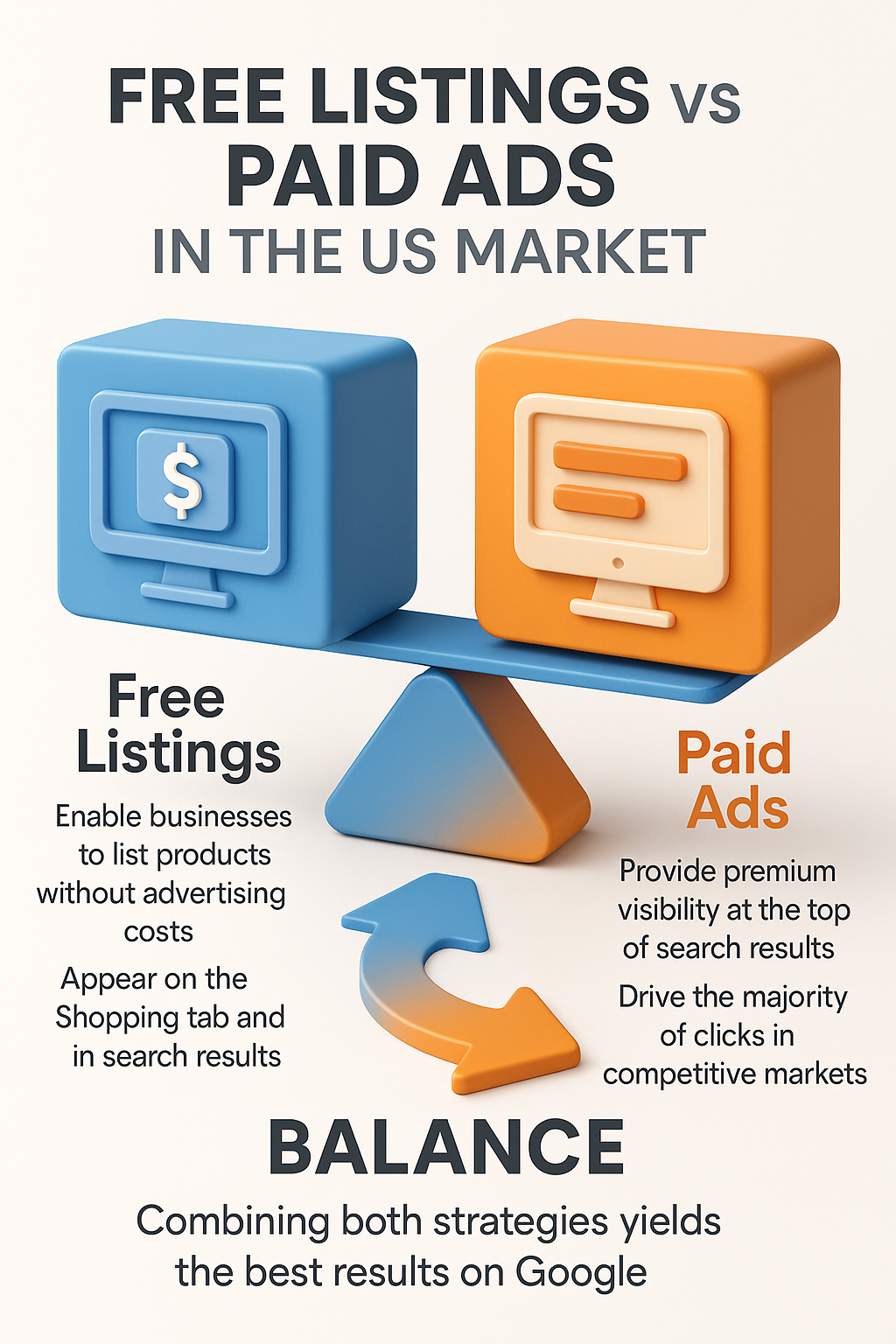
One of the best parts of Google Merchant Center USA is that it offers two ways to show products: free listings and paid Shopping Ads. Both are valuable, but they serve different purposes. Knowing how to balance them is key to success in 2026.
Free listings enable US businesses to list their products on Google Shopping without incurring paid clicks. These spots are perfect for smaller companies or startups testing the market. In fact, Google reported in 2025 that free product listings generated billions of clicks globally, with US small businesses gaining steady traffic from them. Free listings can appear on the Shopping tab and occasionally in regular search results, providing sellers with exposure without incurring advertising costs.
On the other hand, Google Shopping Ads provide premium visibility. Paid placements appear at the very top of search results, often above free listings. For competitive US markets such as electronics, home goods, and fashion, this top placement typically drives the majority of clicks. Studies in 2025 show that over 75% of retail ad clicks in the US come from Shopping Ads, proving their dominance.
The best strategy is to use both. Free listings build organic exposure and long-term trust, while paid ads deliver immediate traffic and scale. Together, they give US companies a balanced approach to selling on Google.
In short, free listings versus paid ads isn’t about choosing one or the other; it’s about combining them for a more substantial reach, better visibility, and increased sales in the American market.
Advanced Google Merchant Center Tips for US Businesses in 2026
Once your Google Merchant account is live, mastering advanced techniques will set you apart in the competitive U.S. ecommerce landscape. Beyond basic feed uploads, focus on features and strategies that drive visibility, relevance, and conversions across Google Shopping, Search, and AI‑assisted discovery.
Use Local Inventory Ads and Real‑Time Availability
For brands with physical stores, Local Inventory Ads (LIAs) bridge online and in‑store buying. These ads show nearby shoppers your exact stock, pricing, and pickup options – a major differentiator for “buy online, pick up today” searches. Keeping your local inventory feed up to date (or using Google‑reported autofeeds via Google Tag Manager) ensures accuracy and can increase foot traffic and conversions.
Segmenting campaigns with geo‑bidding also enhances performance: adjust bids based on location demand and foot‑traffic data to boost visibility where it matters most. Combining LIAs with smart attribution and relevant custom labels (like “In‑store only” or “Curbside pickup”) can elevate both paid and organic reach.
Promotions, Reviews, and Feed Optimization That Converts
Highlight promotions and discounts: Use Merchant Center’s promotions feed to showcase special offers, bundle deals, and limited‑time pricing directly in Google Shopping results. Correct promotion IDs and matching landing page prices are essential to avoid disapprovals and maximize click‑through rates.
Collect and display reviews: Shopper reviews add “social proof” that can boost CTR and trust. Integrating review aggregators or structured ratings into your feed helps your products show stars and feedback next to listings – a strong competitive advantage in crowded categories.
Leverage AI and feed automation: Google’s automation, including machine‑generated titles, image suggestions, and Smart Shopping or Performance Max campaigns: saves time and surfaces products in more contexts. But tools like custom labels, error diagnostics, and regular feed audits remain critical for long‑term success.
Keep your product data accurate, complete, and keyword‑aligned (e.g., “buy online USA,” “fast shipping electronics”) to help Google match your listings to high‑intent searches — a key factor in appearing in both paid results and organic Shopping experiences.
By combining Local Inventory Ads, clear promotions, trusted reviews, and AI-driven optimization, U.S. businesses can turn their Google Merchant account into a powerful revenue engine. Companies that apply these strategies not only appear more frequently in relevant searches but also convert more shoppers, ensuring long-term growth and competitive advantage in 2026.
Case Study Example: US Product Brand Success
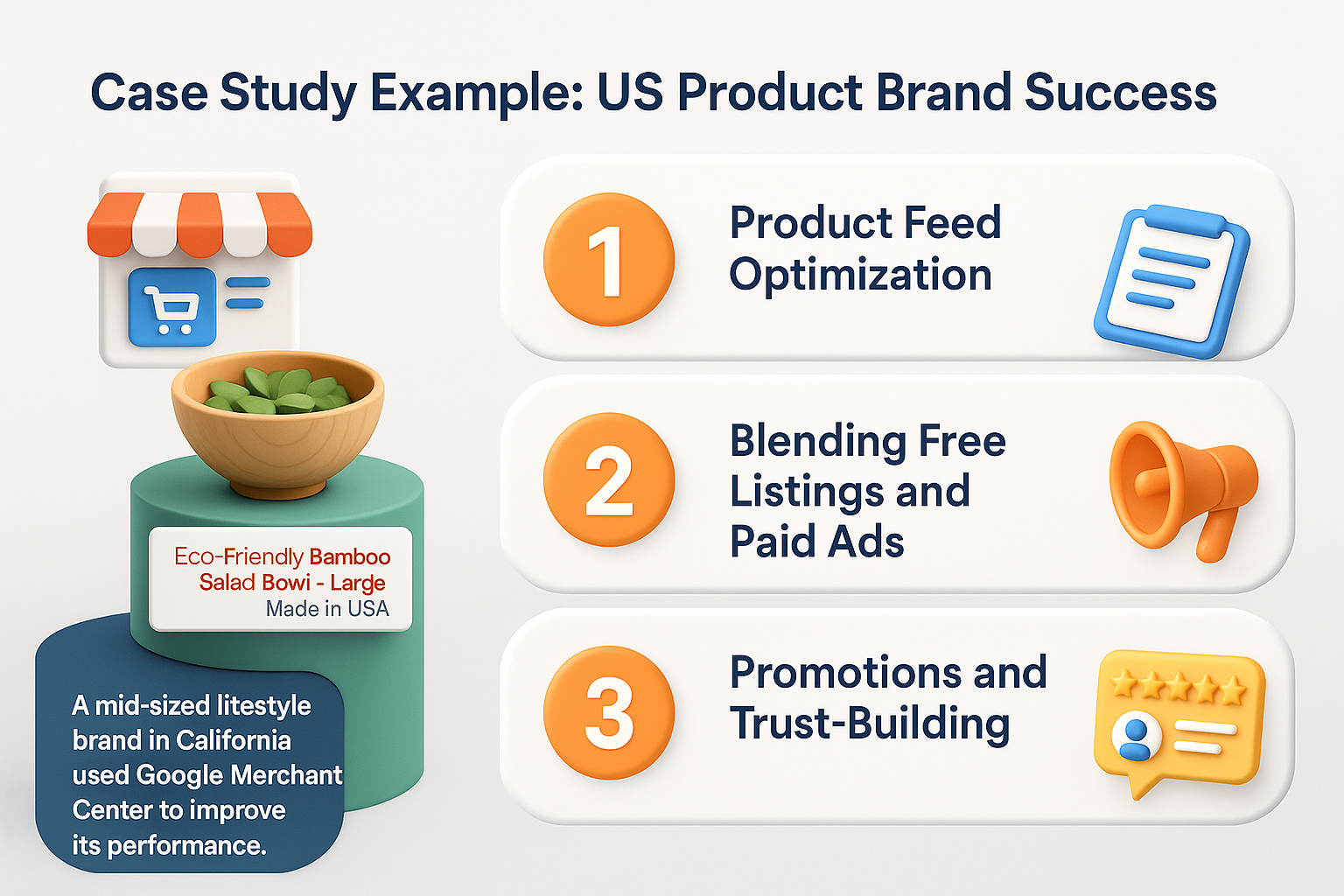
A mid-sized lifestyle brand in California, specializing in eco-friendly kitchenware, sought to compete with larger online retailers. Despite having a loyal base, their website struggled to attract new buyers beyond organic search results. In early 2025, they turned to Google Merchant Center USA to expand reach.
The first step was building a clean product feed with detailed titles and descriptions. Instead of generic terms like “wooden bowl,” listings became “Eco-Friendly Bamboo Salad Bowl – Large, Made in USA.” This optimization, combined with high-quality images, significantly enhanced visibility in Google Shopping.
Next, the company combined free product listings with targeted Shopping Ads. Ads promoted their best-selling items while free listings drove consistent background traffic. Within three months, they saw a 42% increase in clicks and a 27% jump in sales compared to the previous quarter.
Promotions also played a significant role. Adding discounts and displaying “special offer” tags within listings significantly increased click-through rates. Customer reviews highlighted quality and sustainability, building trust with new buyers.
This success story proves how US product companies can use Google Merchant Center to scale. By optimizing feeds, staying compliant, and utilizing both free and paid placements, smaller brands can effectively compete in crowded markets.
How aboveA Approaches Google Merchant Center?
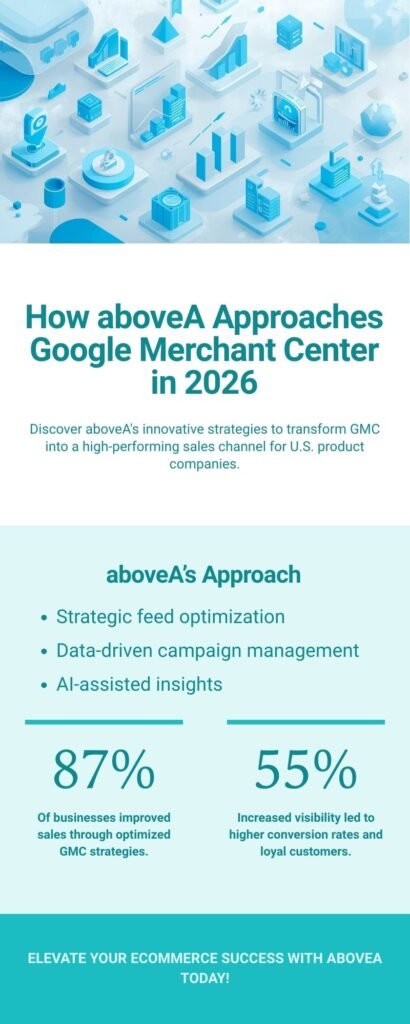
At aboveA, we help U.S. product companies turn Google Merchant Center into a high-performing sales channel. Our approach combines strategic feed optimization, data-driven campaign management, and AI-assisted insights to maximize visibility and conversions. We start by auditing your existing product data, identifying gaps in titles, descriptions, images, and structured attributes that may limit performance.
Next, we implement advanced optimization strategies: segmenting campaigns by location, seasonality, and buyer intent; leveraging Local Inventory Ads to connect online listings with physical stores; and integrating promotions and review signals to boost trust and clicks. Our team also uses automation tools and continuous feed audits to ensure listings stay up to date and competitive, while running Performance Max or Smart Shopping campaigns tailored to your goals.
The result is a complete, end-to-end solution: products appear in the right searches, at the right time, and with the right messaging. AboveA ensures your Merchant Center account not only drives traffic but converts shoppers into loyal customers, giving your business a measurable edge in 2026’s competitive U.S. ecommerce landscape.
At aboveA, we help U.S. product companies turn Google Merchant Center into a high-performing sales channel. Our approach combines strategic feed optimization, data-driven campaign management, and AI-assisted insights to maximize visibility and conversions. We start by auditing your existing product data, identifying gaps in titles, descriptions, images, and structured attributes that may limit performance.
Next, we implement advanced optimization strategies: segmenting campaigns by location, seasonality, and buyer intent; leveraging Local Inventory Ads to connect online listings with physical stores; and integrating promotions and review signals to boost trust and clicks. Our team also uses automation tools and continuous feed audits to ensure listings stay up to date and competitive, while running Performance Max or Smart Shopping campaigns tailored to your goals.
The result is a complete, end-to-end solution: products appear in the right searches, at the right time, and with the right messaging. AboveA ensures your Merchant Center account not only drives traffic but converts shoppers into loyal customers, giving your business a measurable edge in 2026’s competitive U.S. ecommerce landscape.
Google Merchant Center and Google Ads: Driving Performance Max Results
Google Merchant Center (GMC) connects U.S. online stores to Google Shopping, Search, YouTube, and free listings, reaching millions of high-intent buyers. By uploading optimized product feeds, businesses in electronics, apparel, or home goods can display prices, availability, shipping, and reviews directly in search results, driving clicks and conversions.
Advanced Tips for U.S. Businesses
Local Inventory Ads bridge online and in-store shopping, showing nearby stock, pickup, or same-day delivery. Highlighting promotions and discounts in listings boosts CTR, while integrating reviews builds trust and increases visibility. AI tools and automation, including Smart Shopping and feed optimization, help maintain competitive listings and improve performance across searches.
How aboveA Works?
At aboveA, we combine feed optimization, data-driven campaigns, and AI insights to maximize Merchant Center results. We audit product data, implement Local Inventory Ads, promotions, and reviews, and set up Performance Max campaigns for automated bidding, targeting, and multi-channel reach.
GMC and Google Ads Integration
Performance Max uses your product feed to deliver ads across Search, Shopping, YouTube, Gmail, and Display. Optimized feeds, accurate attributes, and AI insights ensure products appear in front of buyers most likely to convert, turning searches into measurable sales and giving U.S. businesses a competitive edge in 2026.
Conclusion
By combining optimized feeds, Local Inventory Ads, promotions, reviews, and Performance Max campaigns, U.S. businesses can fully leverage Google Merchant Center in 2026. aboveA ensures your products appear in the right searches, reach high-intent buyers, and convert clicks into revenue, turning your Merchant Center account into a central driver of growth and long-term competitive advantage.
Google Merchant Frequently Asked Questions
What is Google Merchant Center USA?
Google Merchant Center USA is a platform where product companies upload product data to appear in Google Shopping, Search, and free listings, helping reach US shoppers actively searching to buy.
How do I set up a Google Merchant account in the USA?
You create a Merchant Center account, verify and claim your website, upload a product feed, configure tax and shipping, and then link with Google Ads for Shopping campaigns.
Are free Google product listings effective in 2026?
Yes. Free listings generate billions of clicks globally, and US companies use them for steady exposure. Combined with Shopping Ads, they significantly build traffic and increase sales opportunities.
Why do Google Merchant accounts get suspended in the USA?
Common reasons include mismatched pricing, unclear return policies, insecure checkout, or restricted product availability. Following Google Merchant policy compliance ensures listings stay active and avoid costly suspension.
Is aboveA a good agency for Google Merchant Center services?
Yes. aboveA helps US product companies set up, optimize, and scale Google Merchant Center accounts, combining feed management, Shopping Ads, and compliance for e-commerce growth.
